
10 Best WordPress Themes for Modern Business Websites
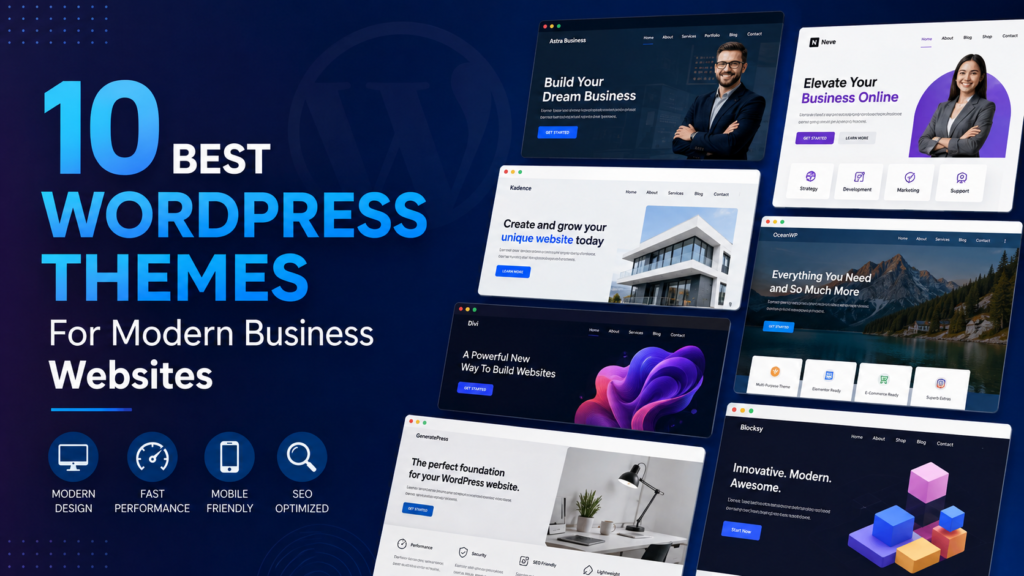
Choosing the right WordPress theme is one of the most important decisions when building a professional business website. A good theme can improve your website’s appearance, loading speed, user experience, mobile responsiveness, and even search engine performance. With thousands of WordPress themes available, finding the best option for a modern business website can feel overwhelming. Whether you are creating a website for a startup, digital agency, consulting company, law firm, real estate business, online store, or professional service, the right theme can help you create a strong online presence. In this guide, we explore 10 of the best WordPress themes for modern business websites and explain what makes each one worth considering. What Makes a Good WordPress Theme for a Business Website? Before choosing a WordPress theme, it is important to understand the features that matter most. A modern business theme should offer: A theme should not only look attractive but also provide a smooth experience for visitors. 1. Astra Astra is one of the most popular WordPress themes for business websites because it combines flexibility, performance, and ease of customization. It includes numerous professionally designed website templates that can be adapted for agencies, startups, consultants, freelancers, technology companies, and other businesses. Astra works well with popular WordPress page builders and offers extensive customization options without requiring advanced coding knowledge. Key Features Best for: Agencies, startups, freelancers, consultants, and service businesses. 2. Kadence Kadence is another excellent choice for businesses looking for a modern, flexible, and performance-oriented WordPress theme. The theme provides professionally designed templates and an intuitive customization system. Businesses can easily modify colors, typography, layouts, headers, footers, and other elements to match their branding. Kadence is particularly useful if you want a professional website without creating everything from scratch. Key Features Best for: Small businesses, agencies, online services, and startups. 3. GeneratePress GeneratePress focuses heavily on performance, clean design, and flexibility. It is a popular option for businesses that want a fast website without unnecessary design elements slowing it down. Its modular approach allows users to add only the features they need. This can make it an excellent foundation for a professional business website. Key Features Best for: Professional service companies, agencies, bloggers, and businesses focused on website speed. 4. Divi Divi is a well-known WordPress theme and visual website-building platform designed for users who want extensive design control. Its visual builder allows you to create pages by editing elements directly on the screen. This makes it possible to create customized homepages, service pages, landing pages, portfolios, and contact pages without writing extensive code. Divi is particularly useful for businesses that want a highly customized visual identity. Key Features Best for: Creative agencies, marketing companies, freelancers, and businesses that want highly customized designs. 5. OceanWP OceanWP is a flexible WordPress theme suitable for a wide range of business websites. It provides a collection of professionally designed templates that can help you build a website quickly. The theme also works well with WooCommerce, making it useful for businesses that want to combine corporate content with online selling. Key Features Best for: Businesses, online stores, agencies, and service providers. 6. Blocksy Blocksy is a modern WordPress theme built with flexibility and performance in mind. It works especially well with the WordPress block editor and offers many customization options. Its modern layouts make it suitable for companies that want a clean, contemporary website without a complicated setup. Key Features Best for: Modern startups, agencies, technology businesses, and online stores. 7. Neve Neve is a lightweight WordPress theme designed for fast, responsive websites. It provides ready-made templates for different industries, making it easier to launch a professional business website. The theme focuses on simplicity and performance while still offering enough customization options for professional branding. Key Features Best for: Startups, local businesses, freelancers, and professional services. 8. Sydney Sydney is designed with business websites in mind and provides layouts that can help companies create a professional online presence. It offers customizable homepage sections, typography controls, color settings, and other features that make it possible to build a branded website without extensive development work. Key Features Best for: Small businesses, agencies, consultants, and service companies. 9. KadenceWP Starter Templates For businesses that want to launch a website quickly, professionally designed starter templates can significantly reduce development time. Kadence’s starter template ecosystem provides ready-made designs that can be customized according to a company’s branding. You can replace images, colors, fonts, text, and layouts to create a website that feels unique rather than starting from a completely blank page. Key Features Best for: Businesses that want to launch a professional website quickly. 10. Avada Avada is a powerful WordPress theme designed for users who want a large selection of design and customization features. It includes a visual website builder and many pre-built design elements. This makes it possible to create websites for corporate businesses, agencies, portfolios, ecommerce companies, and many other industries. Key Features Best for: Large businesses, creative agencies, ecommerce websites, and users who want extensive customization. Comparison of the 10 Best WordPress Themes WordPress Theme Best For Performance Customization WooCommerce Astra Businesses & agencies Excellent Excellent Yes Kadence Startups & businesses Excellent Excellent Yes GeneratePress Speed-focused websites Excellent Excellent Yes Divi Creative websites Very Good Excellent Yes OceanWP Businesses & stores Very Good Excellent Yes Blocksy Modern businesses Excellent Excellent Yes Neve Small businesses Excellent Very Good Yes Sydney Service businesses Very Good Very Good Yes Kadence Starter Templates Quick business websites Excellent Excellent Yes Avada Large and creative websites Very Good Excellent Yes How to Choose the Best WordPress Theme for Your Business The best WordPress theme depends on your business goals and website requirements. Instead of choosing a theme simply because it looks attractive, consider the following factors. 1. Consider Website Speed Website performance can influence both user experience and search visibility. Choose a theme that is lightweight and avoids unnecessary features that can slow down your website. 2. Check Mobile Responsiveness A large portion of website traffic comes from
WordPress Website Design: A Complete Guide for Beginners
Creating a professional website can seem complicated when you are just getting started. Fortunately, WordPress website design makes it easier for beginners to build attractive, functional, and SEO-friendly websites without needing advanced coding skills. WordPress powers millions of websites around the world, from small business websites and personal blogs to large online stores and professional service websites. With the right theme, plugins, content, and design strategy, almost anyone can create a website that looks professional and works smoothly. In this complete beginner’s guide, you will learn what WordPress website design is, how to start a WordPress website, how to choose a theme, which plugins you need, and how to create a website that is user-friendly and search-engine friendly. What Is WordPress Website Design? WordPress website design is the process of creating and customizing a website using WordPress. It includes everything from choosing a website layout and colors to adding pages, images, menus, forms, and other features. WordPress gives beginners several ways to design a website. You can use a pre-designed theme, customize an existing theme, use a visual page builder, or create a completely custom design. A well-designed WordPress website should be: Good design is not only about making a website look attractive. It is also about creating a smooth experience that helps visitors quickly find information and take action. Why Choose WordPress for Website Design? WordPress is one of the most popular website platforms because it offers flexibility and a large ecosystem of themes and plugins. Here are some important advantages of using WordPress. 1. Easy to Use WordPress has a beginner-friendly dashboard that allows you to manage pages, posts, images, menus, and other website content. You do not need to be an expert programmer to create a basic website. 2. Thousands of Themes WordPress provides a huge selection of themes that can change the appearance and layout of your website. You can find themes for almost every type of website, including: 3. Powerful Plugins Plugins allow you to add new functionality without building everything from scratch. For example, you can add contact forms, SEO tools, security features, ecommerce functionality, image optimization, and much more. 4. SEO-Friendly WordPress provides a strong foundation for search engine optimization. With proper configuration, quality content, optimized images, good site structure, and suitable SEO tools, you can improve your chances of appearing in search results. 5. Flexible and Scalable A WordPress website can start small and grow as your business grows. You can begin with a simple website and later add ecommerce features, membership systems, booking functionality, or other advanced features. WordPress.com vs. WordPress.org Beginners often get confused about the difference between WordPress.com and WordPress.org. WordPress.com is a hosted platform where much of the technical infrastructure is managed for you. WordPress.org refers to the self-hosted WordPress software. You purchase hosting and a domain name separately and install WordPress on your hosting account. For businesses and people who want greater control over their website, self-hosted WordPress is often a popular choice because it provides more flexibility for themes, plugins, customization, and website management. Step 1: Choose a Domain Name Your domain name is your website’s address on the internet. For example: yourbusiness.com A good domain name should be: If possible, choose a domain that matches your business or brand name. Avoid unnecessary numbers, complicated spellings, and excessive hyphens. Your domain name does not need to contain your exact target keyword. Building a recognizable brand is often more valuable for long-term growth. Step 2: Choose Reliable WordPress Hosting Web hosting stores your website files and makes them accessible online. When choosing WordPress hosting, beginners should look for: A slow or unreliable hosting provider can negatively affect user experience and make website management frustrating. Step 3: Install WordPress Many modern hosting providers offer one-click or guided WordPress installation. After installation, you can access your WordPress dashboard, where you can manage your entire website. The dashboard allows you to: Step 4: Choose the Right WordPress Theme One of the most important decisions in WordPress website design is selecting the right theme. A theme controls many aspects of your website’s visual appearance, including layouts, typography, colors, navigation, and page templates. Do not choose a theme simply because it looks beautiful in a demo. Instead, consider: Speed A theme with excessive features and unnecessary scripts can make your website slower. Responsive Design Your website should work properly on desktops, tablets, and smartphones. Customization Make sure the theme provides enough flexibility for your branding and content. Compatibility Check that the theme works properly with the WordPress features and plugins you plan to use. Support and Updates A regularly maintained theme is generally preferable to an abandoned theme. Step 5: Create Your Website Structure Before designing individual pages, plan your website structure. A basic business website may include: An ecommerce website may include: A clear structure makes it easier for visitors and search engines to understand your website. Step 6: Design Your Homepage Your homepage is often the first page visitors see, so it should immediately communicate who you are and what you offer. A professional homepage commonly includes: Hero Section The hero section appears at the top of the page and should clearly communicate your main value proposition. For example: Professional WordPress Website Design for Growing Businesses Add a short supporting sentence and a clear call-to-action button such as: Get Started or Request a Quote Services Section Briefly explain your main services and link visitors to detailed service pages. About Section Introduce your company, experience, or brand and explain why customers should choose you. Portfolio Section Show examples of your previous work where appropriate. Testimonials Customer testimonials can help build trust and credibility. Call-to-Action Give visitors a clear next step, such as contacting you, booking a consultation, or purchasing a product. Step 7: Create Essential WordPress Pages Most websites need several core pages. About Page Explain who you are, what your business does, and what makes your company different. Services Page Describe your services clearly. Avoid complicated language and focus